
• start here!
  • projects
  • about
  • contact
  • blog
Menu

studio.bad architects

  • start here!
  • projects
  • about
  • contact
  • blog

the .bad blog : updates from the studio


client’s guide to using houzz as a design tool

April 28, 2016

When planning to renovate or build your new home, a great way to communicate your design preferences and personal architectural styles to your architect is by collecting and sharing images.  Ranging from simple photos of cabinets or faucets you love to full exterior photos of completed houses, these collages tell the story of you and your family's trends.

When we begin working with a client we ask them to create ideabooks on Houzz (or “boards” on Pinterest) and share them with us.  In this article, we wanted to teach you how to create your own Ideabooks on Houzz and how to share them with us (or the architect of your choosing ;) ).

Before you create an ideabook you need to create a free account on Houzz.com.  Simply follow this link and click “Sign Up with Email” or “Sign In with Facebook”.

Now that you have an account in Houzz feel free to build your profile with any information you desire.  

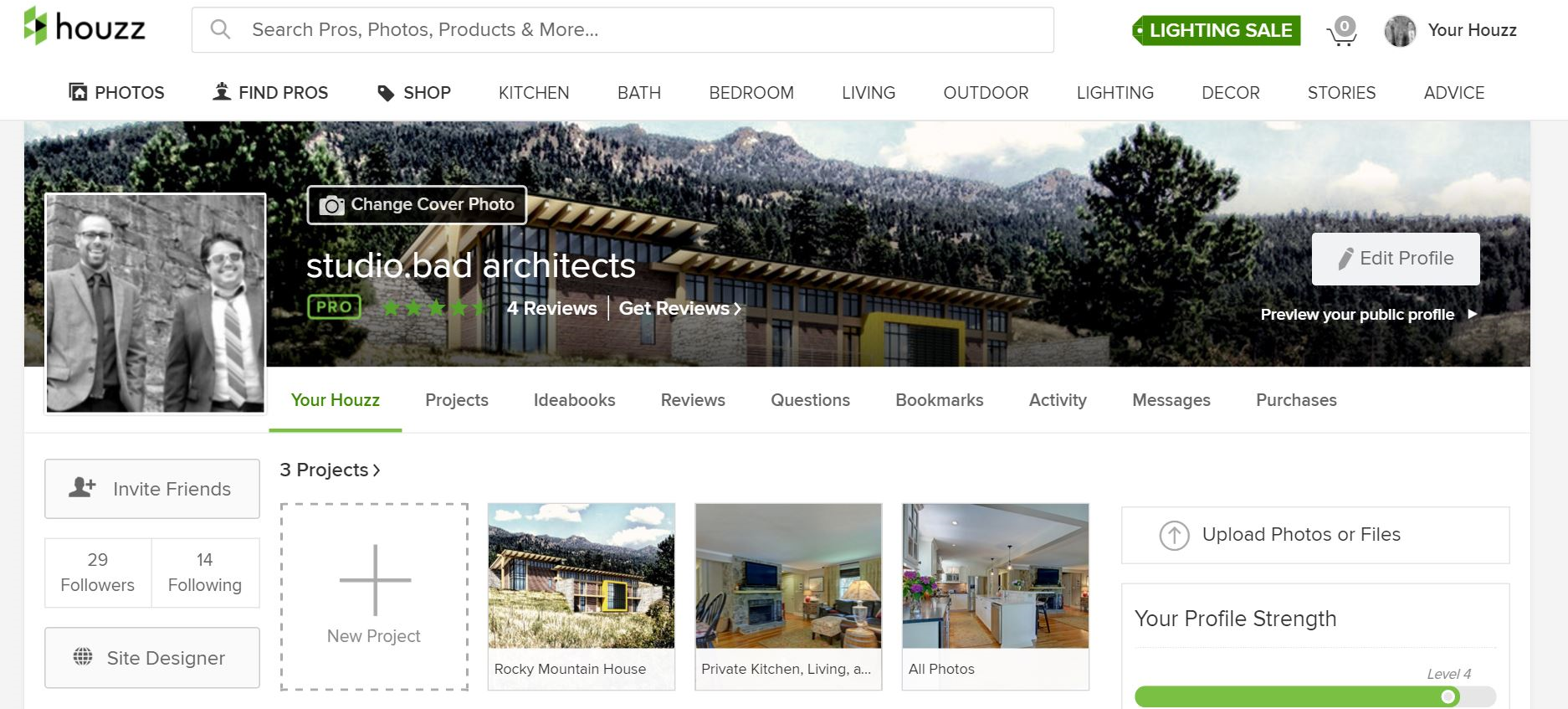
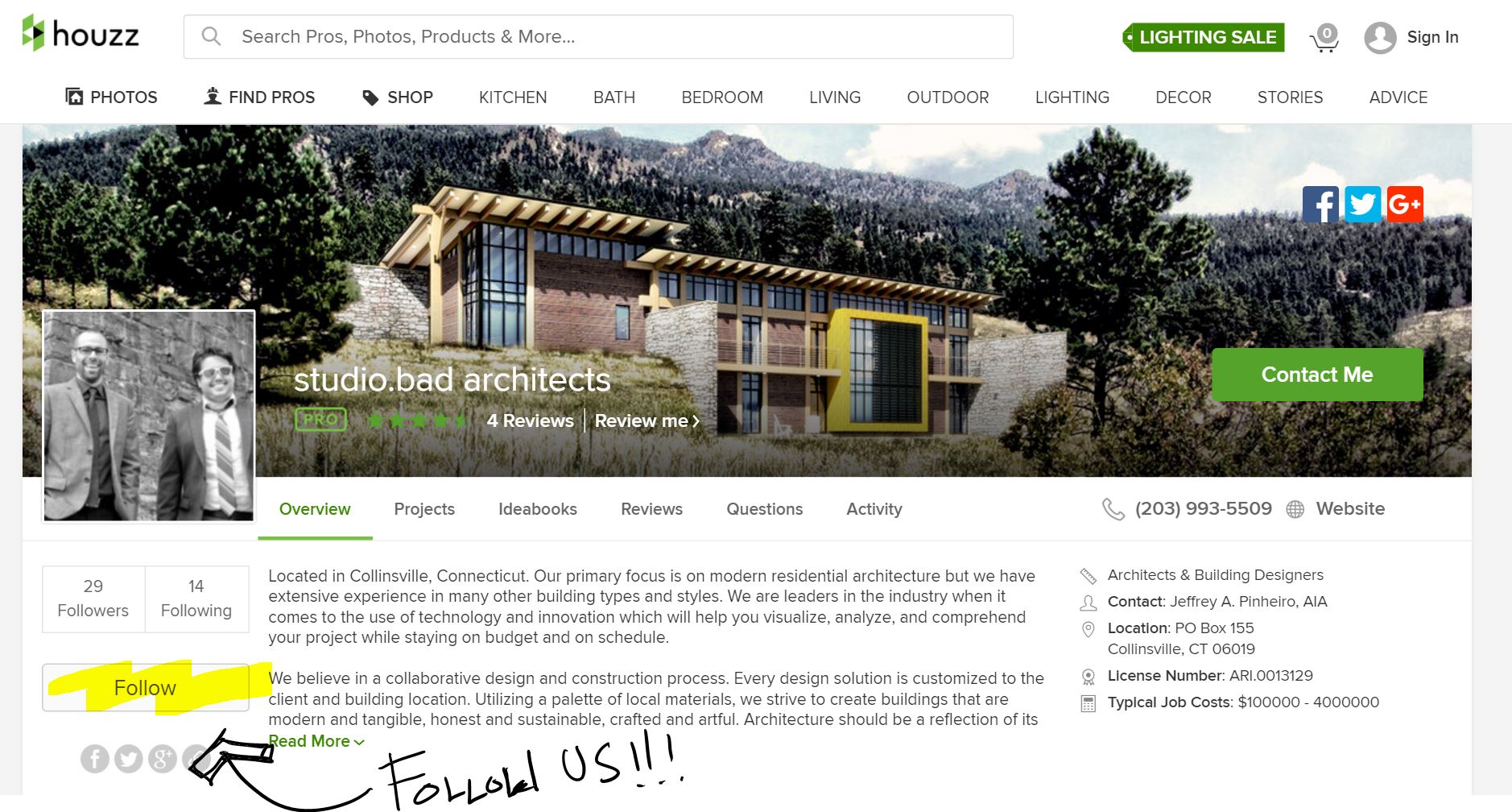
Before you share your Ideabook you should probably follow your architect on Houzz.  To follow your architect (or us!) simply go to their profile and click “Follow” on the left sidebar.  Click here to follow studio.bad architects on Houzz…

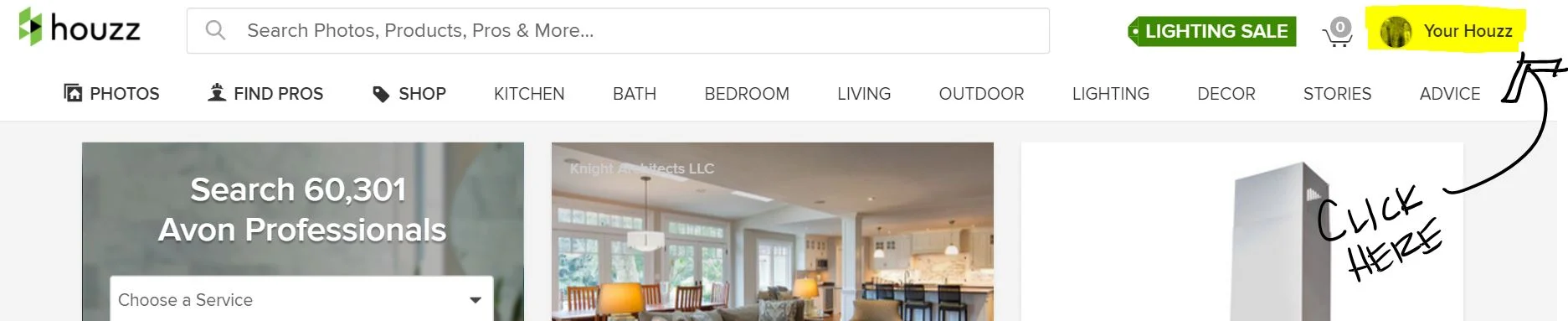
To create an ideabook, sign in to your account, and select “Your Houzz” on the top right of your web browser:

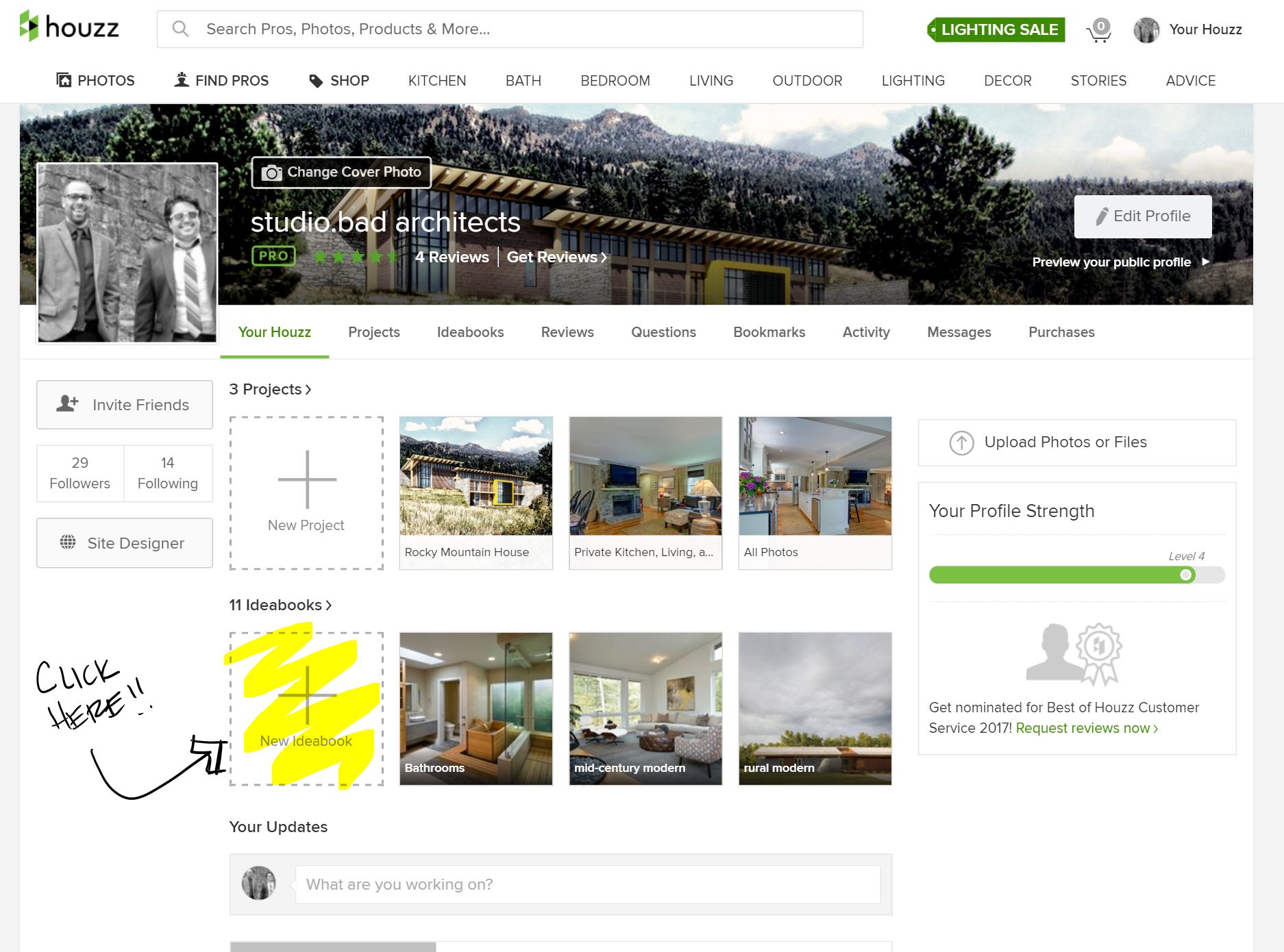
Under the “Ideabooks” area select the big “plus” sign that says “New Ideabook”:
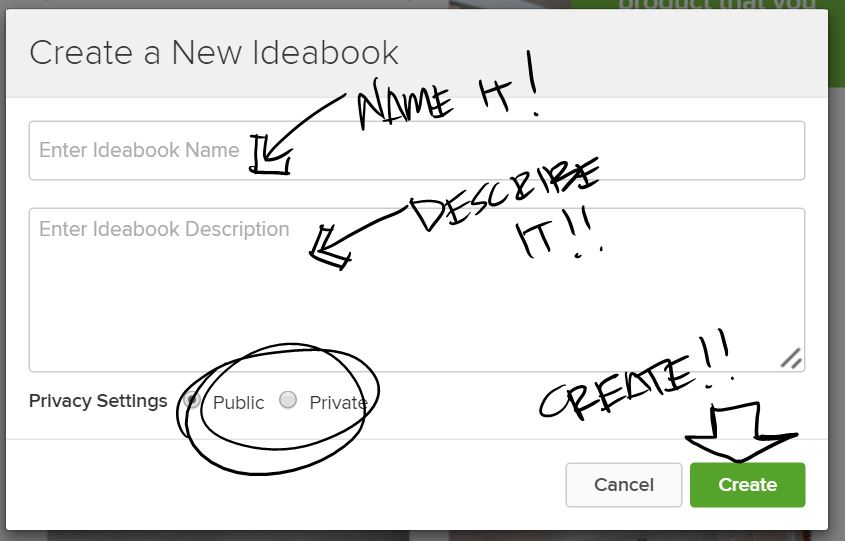
Give your new Ideabook a name and a description.  How you want to organize your ideas is entirely up to you,  but most clients will divide their Ideabooks into rooms and spaces.  For example, they may have a separate Ideabook for Exteriors, Deck/Patio, Living Room, Kitchen, Guest Bedroom, etc… Other clients will simply create a single Ideabook for their entire project and save all of the images they like regardless of what space it is.  

Now, you can decide if you would like to make your Ideabook public or private.  This is entirely your preference.  Private Ideabooks are not visible by anyone except those you choose.  For example, you can make an Ideabook private but still share it with your architect.

Now, click “Create”.
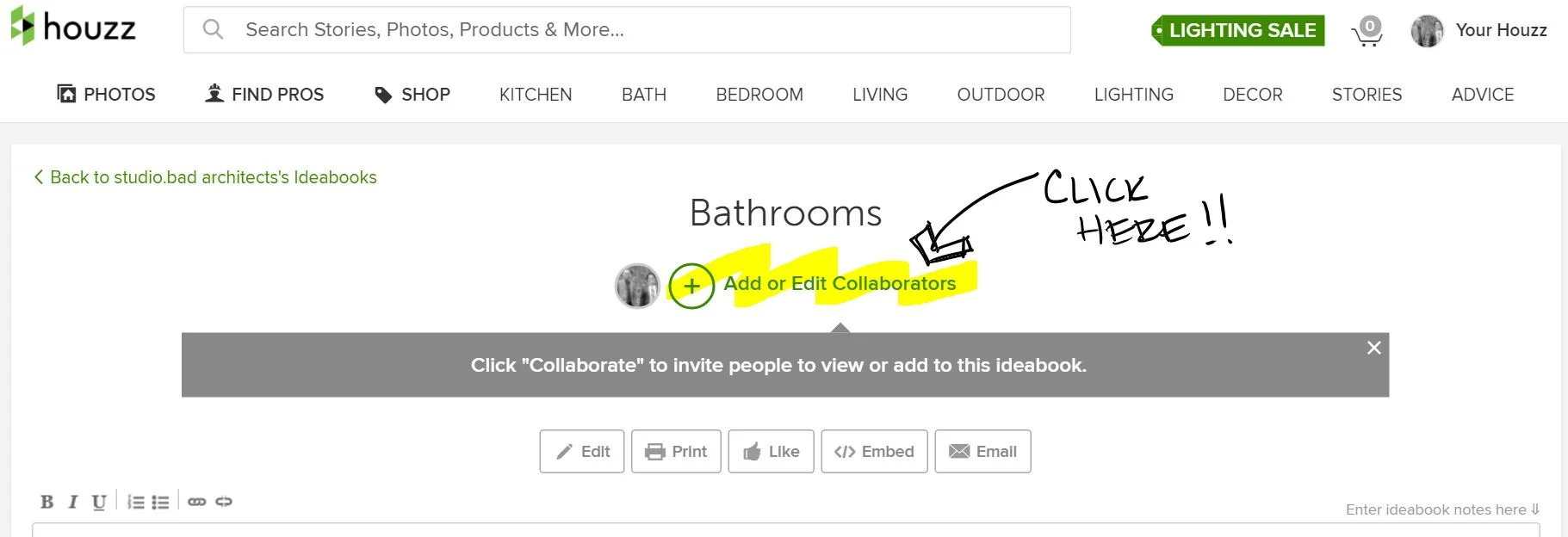
Finally, it’s time to share your Ideabook with us (or your architect)...  At the top of the page you should see a green “plus” sign that states “Add or Edit Collaborators”.  Click the green plus sign:
In this last step, search for your architect, click add, then “Save Settings”:
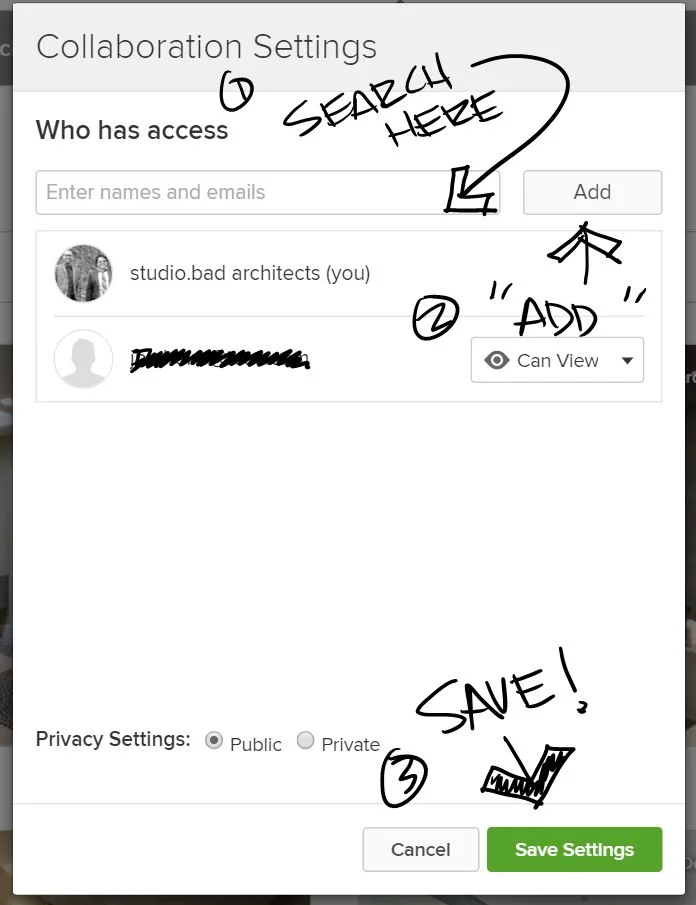
You have successfully shared your Ideabook with your architect!

Saving images you find to your Ideabook is as simple as clicking the green “save” button when your mouse hovers over an image, selecting the correct Ideabook, and even adding notes:
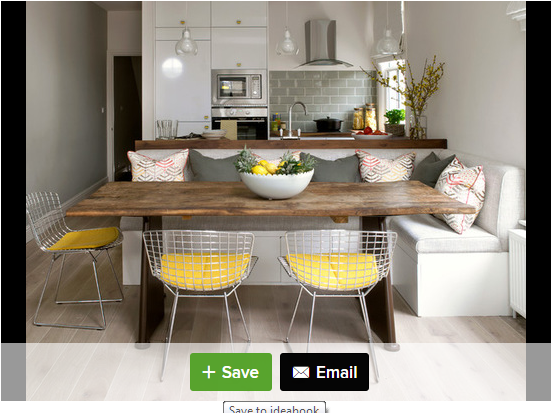
We suggest you not only create Ideabooks of images you like, but also of images you dislike.  We call this the Love and Loathe folders.  Remember, these ideabooks should not be specific to your project. They are intended to illustrate your “taste and style”. They are about you. Include images of architecture, interiors and home décor, but also include art, fashion, people, places, etc.

This information becomes a key part of the design process and gives your architect a real sense of your vision for the project.

Tags houzz, design, design process, ideabook, ideas, client, client guide
← studio sessions - modern ranch (part 1)architect or contractor, who do I hire first? →

not sure where to begin?

if you have been thinking of starting a project and are not sure where to begin download your free "5 steps to hiring an architect and building your dream home" today!


latest posts

  • 2020
    • Dec 8, 2020 on the boards (live) - split level redux Dec 8, 2020
    • Jan 20, 2020 The Making Of "Stilted Studios" Jan 20, 2020
  • 2019
    • Jun 5, 2019 Hebron Hill House - Progress Photos Jun 5, 2019
    • Jan 19, 2019 studio sessions: site visit - hebron hill house Jan 19, 2019
  • 2016
    • Nov 21, 2016 studio sessions: mid-century makeover Nov 21, 2016
    • May 25, 2016 studio sessions - modern ranch (part 1) May 25, 2016
    • Apr 28, 2016 client’s guide to using houzz as a design tool Apr 28, 2016
    • Apr 14, 2016 architect or contractor, who do I hire first? Apr 14, 2016
  • 2015
    • Nov 9, 2015 'the web' to be displayed at University of Texas Nov 9, 2015
    • Sep 8, 2015 "shift city" earns honorable mention! Sep 8, 2015
    • Aug 31, 2015 we are officially "published" Aug 31, 2015
    • Jul 28, 2015 rocky mountain modern wins presentation award Jul 28, 2015
    • Jun 26, 2015 'cubby' receives merit award! Jun 26, 2015
    • May 8, 2015 "heart : huts" earn honorable mention! May 8, 2015
    • Feb 15, 2015 case study: revit for design competitions Feb 15, 2015

fresh tweets


instagram:

see what we do for fun!

A perfect Saturday morning… 😎 2004, 2016, 2021 … Happy Anniversary to my beautiful wife.  Jacob, Addie, and I love you so much! 😁😘😘 3 years old already!!!?? Happy birthday to my best bud.  We love you Jakey boy!! Bringing in the long weekend with our mini-me’s …. @the_charman 😜 Twinning jammies… @the_charman Happy First (and third) 4th of July! 🥰🥰 Love, Adalyn and Jacob! Happy Friday everyone!! 😜 And then there were two … Say hello to Adalyn Grace.  Born on 5/26 at 8:38 am… 9 pounds, 20.5”… #blessed #girldad My fishing buddy is on fire right now.  #bassfishing #bassdads #fishingdad #jakeonthelake #jigsallday Best fishing buddy around... These photos are just too good not to share... first haircut sitting all by himself. Thanks to Danny for hooking my little man up ( @dannysbarbershopnewtown )
Pure bliss.  Merry Christmas all!
Snowballs and snow angels... Happy Fall y’all!!!! Curbside dessert from our favorite restaurant is the perfect way to end our 4th anniversary day... maybe next year we will be able to eat there?  Happy anniversary to my beautiful wife!  I love you! @the_charman #pinthenameoflove My little sidekick turned two today.... where did the time go?  I love you, little man.  #dadlife #prouddad
I can’t even ..... my little man is growing up too fast.
houzzbadge

© copyright 2019 - studio.bad, llc